AI YouTube Thumbnails That Still Look Like Your Channel
Turn a video idea, your face, and your visual direction into a custom YouTube-style thumbnail you can refine—without settling for generic AI art.
- personYour face
- add_photo_alternateYour source images
- edit_notePlain-language edits
Make an AI YouTube thumbnail with creative control
Thumbnail.AI helps YouTube creators build thumbnails around the elements that matter: the right facial expression, recognizable source images, exact on-image wording, and a composition that matches the video’s promise. Describe the scene in plain language, upload what should appear, then revise the result until it feels native to your channel.
Built for creators who want AI speed without losing their recognizable on-camera identity, topic clarity, or thumbnail style.
Three thumbnail ideas for ai youtube thumbnail
Each example explores a different visual direction and can be adapted with your own face, images, wording, and brand.
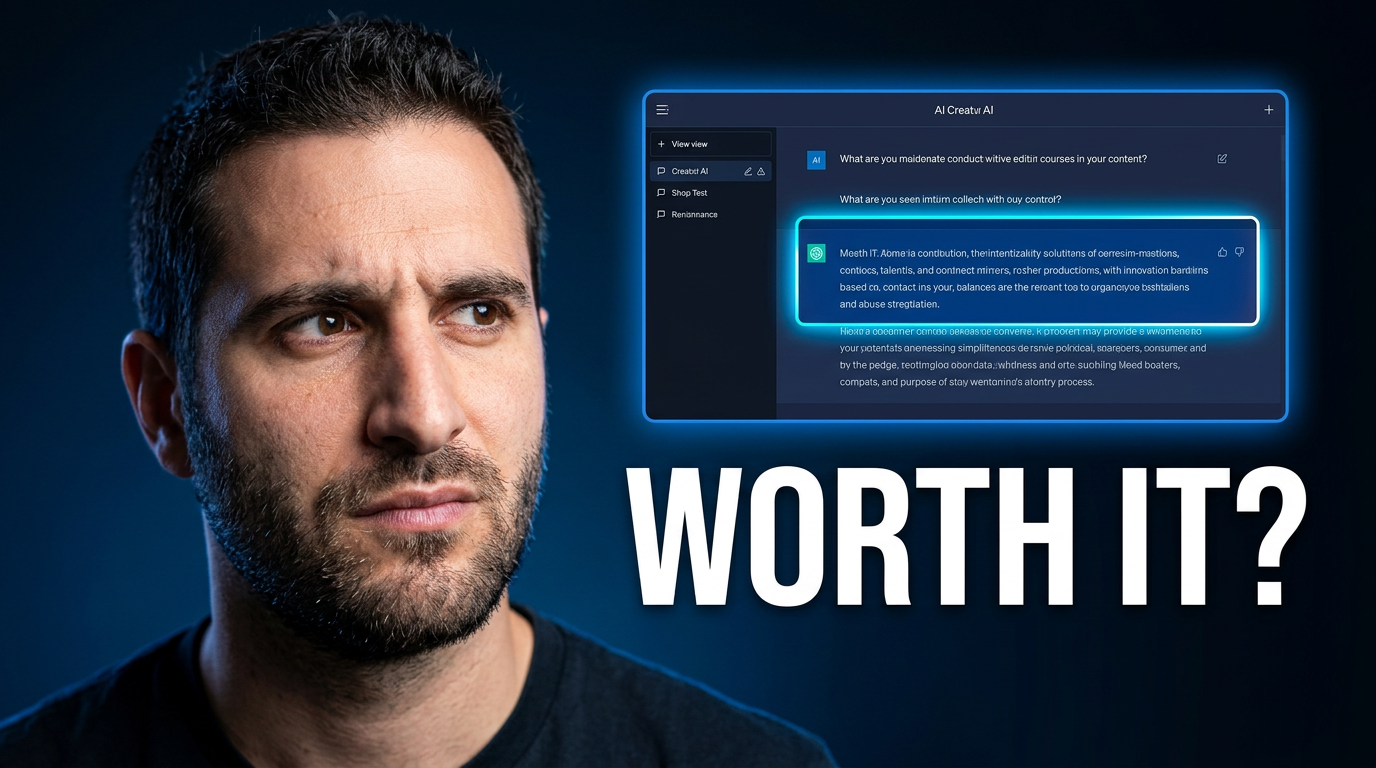
AI tool verdict
A clear verdict concept for an AI tool review or first-look video.
See the visual approach
Close-up of a male creator with a skeptical, deciding expression, positioned on the left side of a clean dark studio composition. A supplied AI tool interface screenshot appears large and crisp on the right, with a subtle electric-blue glow and a single bright visual accent around the most important result. High contrast, polished tech-review mood, uncluttered background, strong space reserved for short headline text.
Make a thumbnail like this →
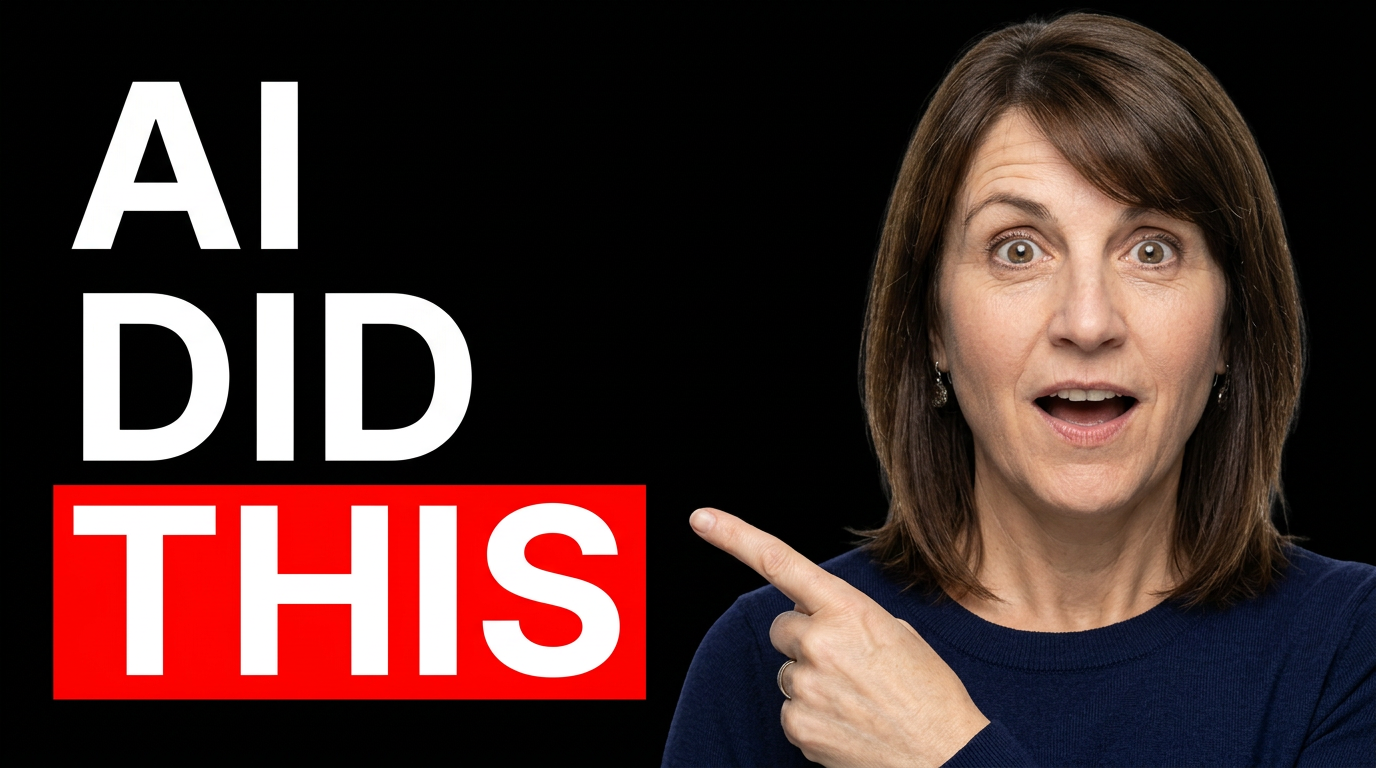
Automation result reveal
A result-first concept for an AI automation experiment or workflow tutorial.
See the visual approach
Female creator in the foreground with an astonished, impressed expression, pointing toward a dramatic before-and-after transformation built from supplied source images. The before side is muted and crowded; the after side is bright, organized, and visually satisfying. Modern creator workspace atmosphere, vivid contrast, one obvious transformation as the focal point, room for short headline text, energetic but believable mood.
Make a thumbnail like this →
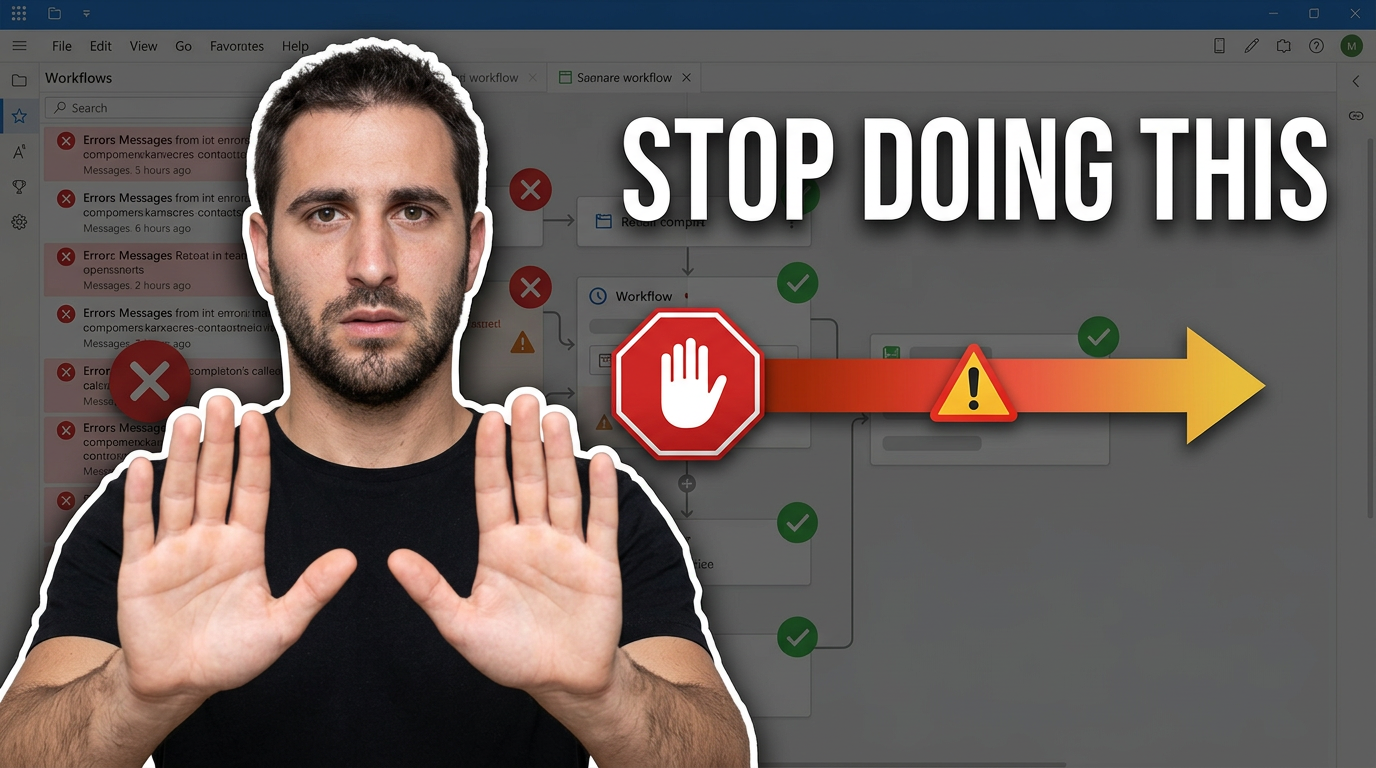
AI workflow warning
A direct warning angle for a video about common AI workflow mistakes.
See the visual approach
Male creator facing the viewer with a firm warning gesture and concerned expression. A supplied workflow or tool screenshot sits behind him, visually divided between a cluttered error-filled approach and a simpler, cleaner approach marked by a clear directional cue. Dark charcoal background with warm warning accents, bold simplified composition, creator-led framing, tension and urgency without clutter, reserved space for short headline text.
Make a thumbnail like this →
These examples are starting points. Results vary based on your images, wording, and creative direction.
Thumbnail ideas for AI-focused YouTube content
AI videos often compete on curiosity, proof, and practical outcomes. These thumbnail directions give viewers a fast reason to click while keeping the visual focused.
- AI tool reviews and first impressions
- ChatGPT, image, video, and workflow tutorials
- Before-and-after automation results
- AI productivity experiments
- AI news and product updates
- Creator workflow and monetization videos
- Prompt tests, comparisons, and challenges
- Beginner-friendly AI explainers
A simple workflow you can reuse
-
1
Start with the video promise
Give Thumbnail.AI the core takeaway, such as a surprising AI result, a tool comparison, or a workflow outcome. A clear promise helps the thumbnail emphasize one compelling idea instead of showing every feature.
-
2
Add your source material
Upload your headshot, product screenshot, interface capture, logo, or before-and-after assets. Use your own face when your personality and reaction are part of the click.
-
3
Set the visible wording
Choose short, high-impact text that supports the title rather than repeating it. Thumbnail.AI can work around your exact wording while keeping the layout readable at small sizes.
Frequently asked questions
Answers for building a useful, repeatable thumbnail workflow—not just generating one image.
Browse all thumbnail makers →
Can I use my own face in an AI YouTube thumbnail?
add
Yes. Upload a clear photo of yourself and direct the expression, pose, framing, wardrobe, and background you want. This is useful for tutorials, AI tool reviews, experiments, and opinion videos where viewers recognize the host.
What should an AI YouTube thumbnail say?
add
Keep the visible wording short and outcome-led. For an AI video, phrases such as “Worth It?”, “AI Did This”, or “Stop Doing This” can work when they add intrigue without restating the full video title.
Can I include a screenshot of the AI tool I am reviewing?
add
Yes. Upload the relevant interface or output image and ask for it to be featured as a clear supporting visual. Keep the screenshot large enough to be recognizable, but let one focal point—often your face or the result—lead the composition.
How do I keep AI thumbnails from looking generic?
add
Use channel-specific ingredients: your own face, a real screenshot, familiar colors, and a precise direction for the emotion or result. Avoid packing in multiple tools, tiny interface panels, and long sentences.
Can I revise a thumbnail after the first version?
add
Yes. Refine the direction in plain language. Ask to change the expression, simplify the background, enlarge a source image, alter the mood, or make room for different wording while preserving the core concept.
Create your AI YouTube thumbnail
Bring your video concept, face, screenshots, and exact thumbnail wording together in one custom visual direction.
Create a thumbnail in Thumbnail.AI