Make a thumbnail that looks made for your video
Start with your own face, screenshots, product images, or channel assets. Describe the look you want, add the exact words that matter, and refine the result in plain language.
- personYour face
- add_photo_alternateYour source images
- edit_notePlain-language edits
A free thumbnail maker for custom, creator-led visuals
Thumbnail.AI helps you create YouTube-style thumbnails without starting from a blank canvas. Upload the images you want to feature, choose a clear visual direction, and use short, readable wording for the thumbnail. When something needs adjusting—such as the expression, background, crop, emphasis, or color—you can describe the change directly and keep shaping the design around the video.
Built for YouTubers, streamers, educators, reviewers, podcasters, and anyone who needs a distinct thumbnail for a new upload.
Three thumbnail ideas for free thumbnail maker
Each example explores a different visual direction and can be adapted with your own face, images, wording, and brand.
Commentary video reaction
Put the creator’s reaction at the center of a direct commentary thumbnail.
See the visual approach
Close-up male creator with a surprised, reflective expression positioned on the left, looking toward a large relevant source image on the right. Dark, simplified studio-like background with strong contrast and a subtle glow around the featured source material. The composition should feel immediate, personal, and focused on the creator’s reaction.
Make a thumbnail like this →
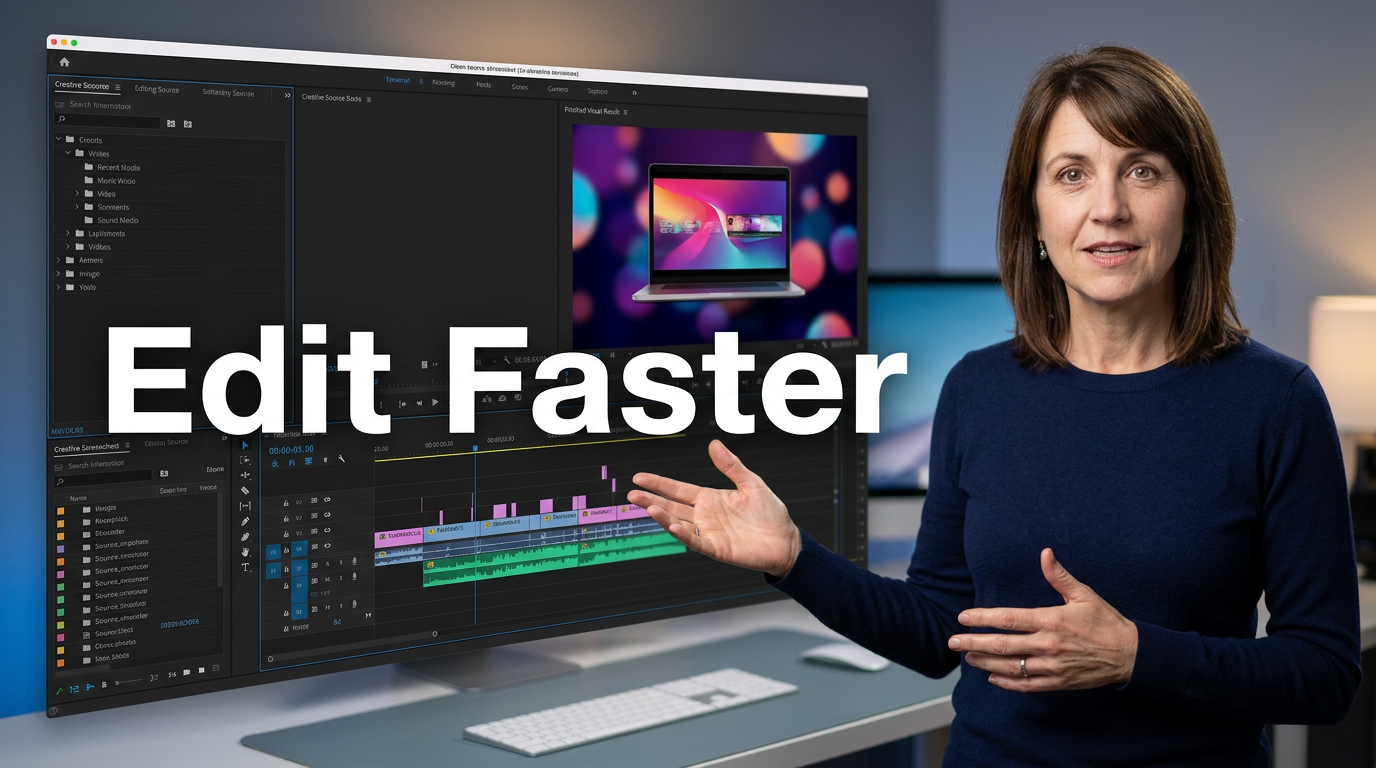
Software tutorial result
Make the workflow and the payoff instantly visible for a practical tutorial.
See the visual approach
Confident female creator in the foreground on the right, gesturing toward a clean source screenshot of a creative software workspace on the left. Include a polished finished-result visual as a secondary focal point. Bright modern workspace atmosphere, crisp framing, and clear separation between the creator, interface, and result.
Make a thumbnail like this →
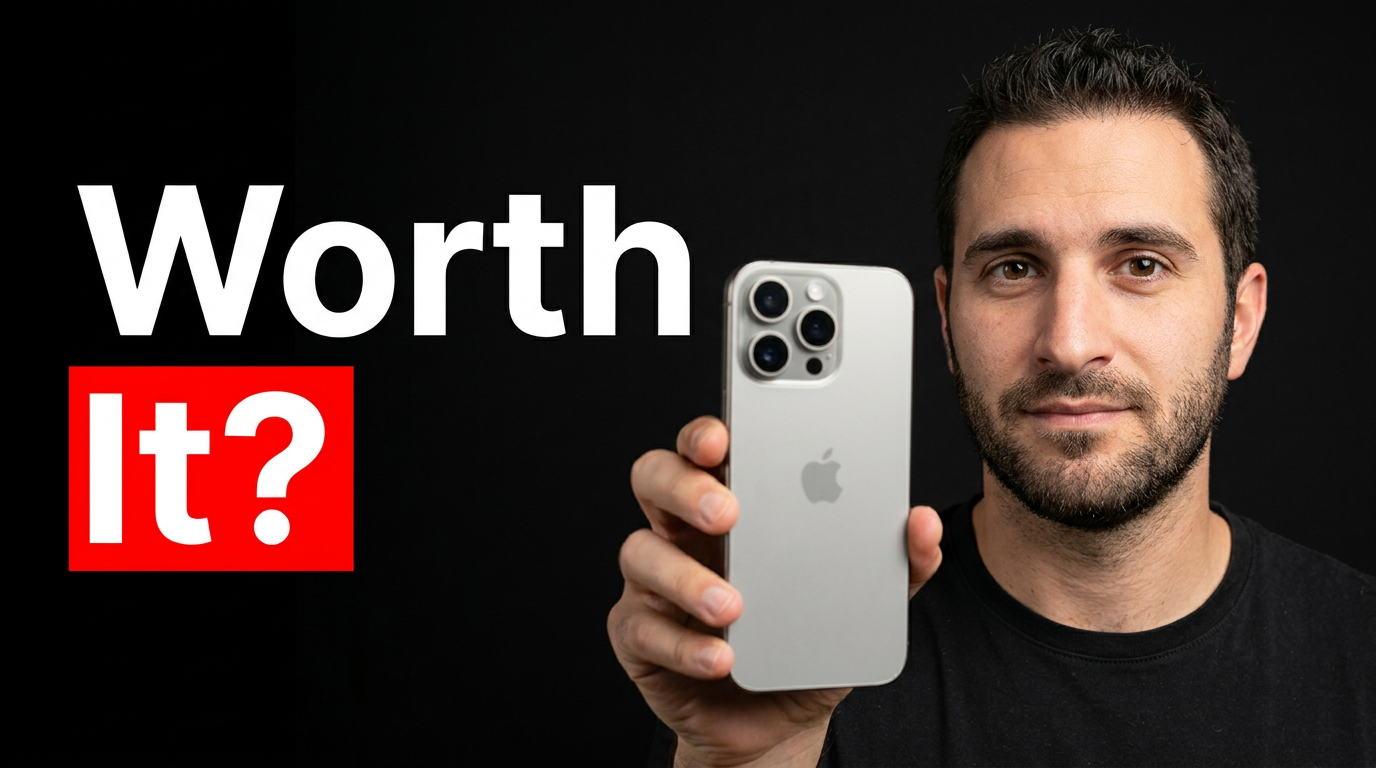
Product review verdict
Give the featured item and the reviewer equal visual weight in a review thumbnail.
See the visual approach
Male reviewer holding the supplied product close to the camera, with a curious evaluating expression. Product should be sharply emphasized in the foreground while the reviewer remains clearly visible. Clean dramatic background with directional lighting, subtle depth, and an uncluttered composition that centers the purchase decision.
Make a thumbnail like this →
These examples are starting points. Results vary based on your images, wording, and creative direction.
What to make with Thumbnail.AI
Create thumbnails that give viewers a fast visual reason to understand—and click—your video.
- Face-forward thumbnails for personal channels and commentary videos
- Tutorial thumbnails featuring a screen, tool, workflow, or final result
- Product and gear reviews with the item as the visual focal point
- Gaming thumbnails with a creator reaction and an in-game moment
- Podcast and interview thumbnails built around the featured conversation
- Before-and-after concepts for makeovers, projects, edits, and experiments
- News, analysis, and opinion thumbnails with a strong central subject
- Channel-consistent thumbnail variations for recurring video formats
A simple workflow you can reuse
-
1
Add the images that belong in the video
Upload your portrait, a product shot, a screenshot, a game capture, or other source material you want the thumbnail to use.
-
2
Set the visual direction
Describe the composition and mood in everyday language: close-up reaction, clean tutorial layout, dramatic product focus, bright background, or a more cinematic scene.
-
3
Choose a short message
Use a few words that sharpen the video’s main idea. Keep the wording easy to read at small sizes and let the imagery carry the rest.
Frequently asked questions
Answers for building a useful, repeatable thumbnail workflow—not just generating one image.
Browse all thumbnail makers →
Can I use my own face in a thumbnail?
add
Yes. Upload a photo of yourself and make it part of the requested composition. You can direct the crop, pose, expression, background, and how prominently you appear.
Can I make a thumbnail from a screenshot or product image?
add
Yes. Source images such as software screenshots, product photos, game captures, listings, and project results can be used as the focal visual material for the thumbnail.
How much text should a YouTube thumbnail have?
add
Usually, a short phrase works best. Aim for a clear message that can be understood quickly, then use the image, face, or object to provide the context.
Can I revise a thumbnail after my first version?
add
Yes. Give a direct revision request, such as making the subject larger, changing the background, reducing clutter, creating more contrast, or shifting attention to a featured object.
What should I upload for the best result?
add
Use a clear photo of the person or object you want featured. For portraits, choose an image with a visible face and good lighting. For products and screenshots, use the cleanest available source image.
Create your next thumbnail in Thumbnail.AI
Bring your own images, say what you want to highlight, and make a custom thumbnail that fits the video you are publishing.
Create a thumbnail