Gaming Thumbnails That Make the Match Look Unmissable

Turn your gameplay screenshots, reaction photos, stream moments, and video title into a custom YouTube-style thumbnail built for your channel.

  • Your face
  • Your source images
  • Plain-language edits
Gaming creator reacting beside a tense battle royale final-circle screenshot

Make gaming thumbnails around the moment players need to see

A great gaming thumbnail gives viewers one immediate reason to click: an impossible win, a new build, a frightening encounter, a ranked breakthrough, or a challenge with real stakes. Thumbnail.AI helps you combine your own face, in-game screenshots, character art, props, and exact on-image wording into a composition that fits the game and the video. Start with the assets you already have, describe the feeling and focal point in plain language, then revise the result until the action reads clearly at thumbnail size.

Built for gaming creators making YouTube videos, stream highlights, challenge runs, walkthroughs, reviews, ranked content, and reaction-driven gameplay.

Three thumbnail ideas for gaming thumbnail maker

Each example explores a different visual direction and can be adapted with your own face, images, wording, and brand.

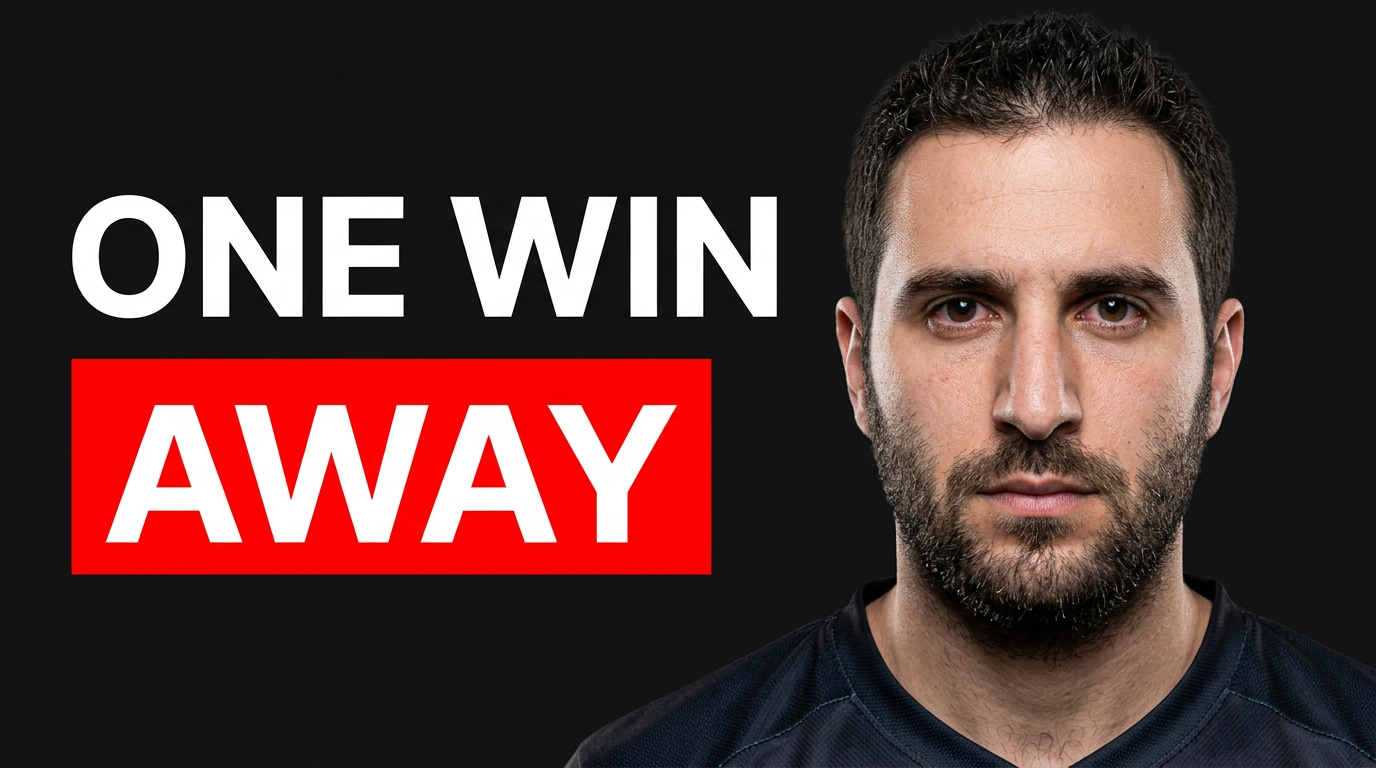
Gaming creator reacting beside a tense battle royale final-circle screenshot

Ranked clutch highlight

Put the pressure of a final ranked match at the center of the frame.

See the visual approach

A male gaming creator with an intense, focused reaction in the foreground, beside a dramatic battle royale final-circle gameplay screenshot. A shrinking storm, distant enemy silhouette, and low-health visual cues create immediate tension. Dark stormy background, sharp subject separation, high contrast, and clear empty space reserved for short headline text.

Make a thumbnail like this
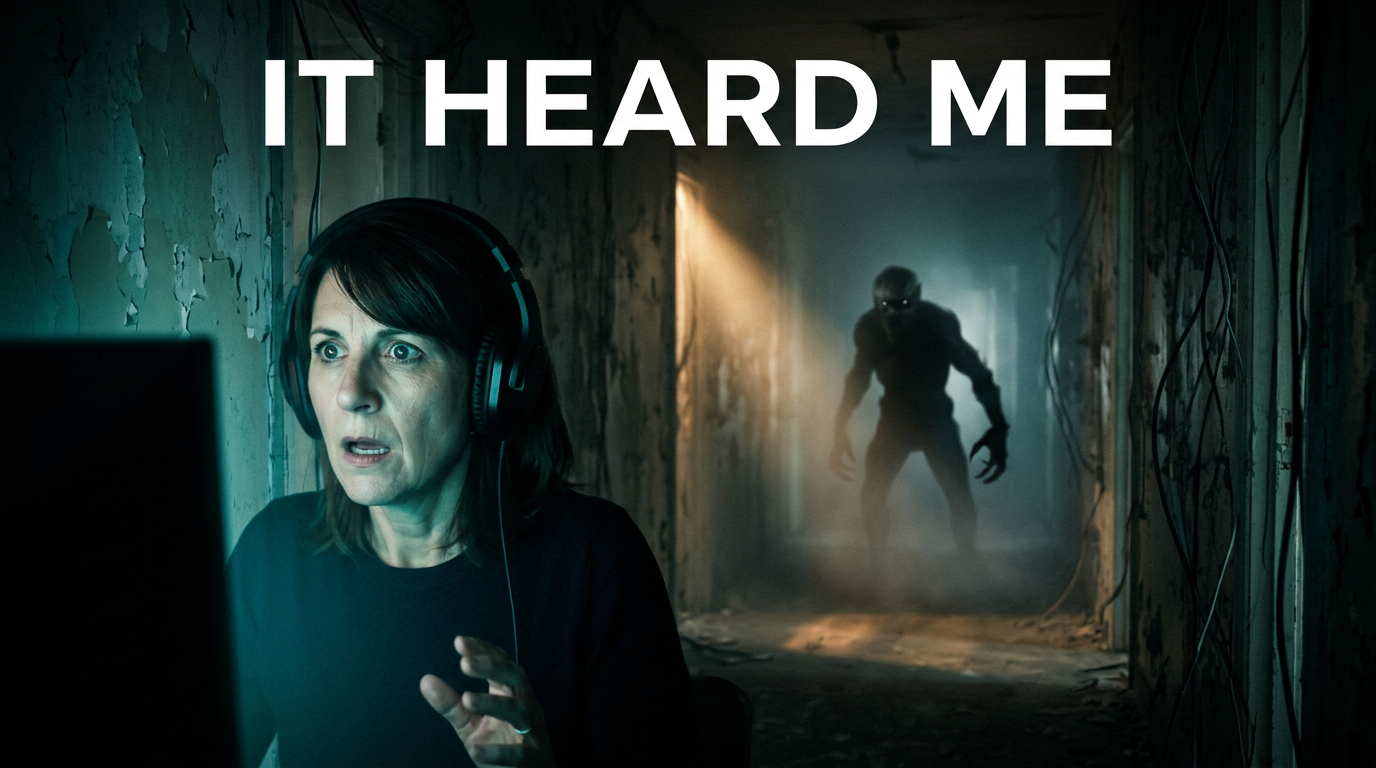
Female creator startled by a creature emerging in a dark horror game corridor

Horror game reaction

Make the scare and the creator reaction readable in one glance.

See the visual approach

A female gaming creator with a shocked expression lit by cool monitor light in the foreground. Behind her, a shadowy creature emerges from a narrow abandoned horror-game corridor. Strong directional lighting, deep blacks, eerie fog, visible creature silhouette, and a cinematic composition with room for a short headline.

Make a thumbnail like this
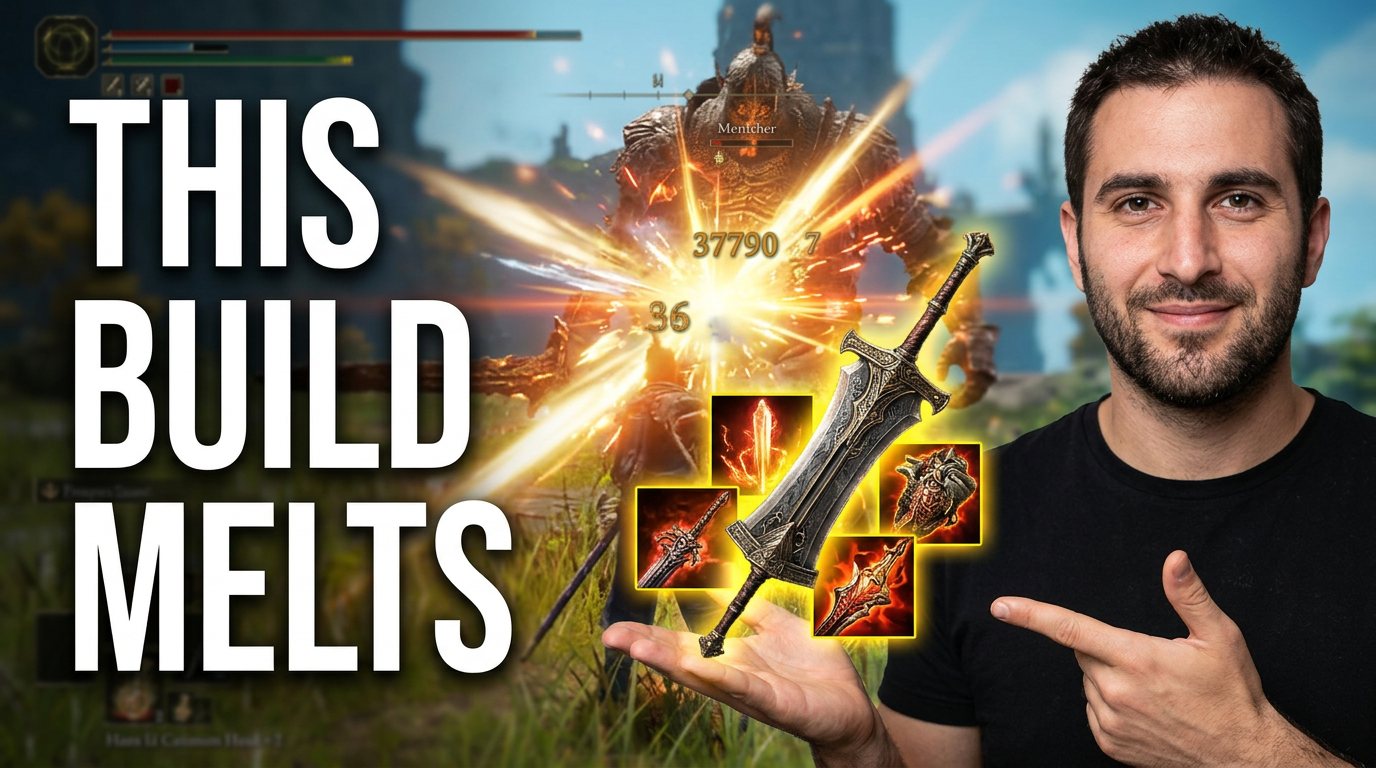
Gaming creator presenting a powerful weapon build with enemy damage effects

New build breakdown

Focus on the gear and result, not a crowded stat screen.

See the visual approach

A male gaming creator confidently gesturing toward a prominently displayed weapon and build setup from a fantasy action game. The gameplay background shows a powerful attack hitting a large enemy with bright damage effects. Clean cutout presentation, vivid item details, energized action, uncluttered layout, and a clear focal path from creator to weapon to enemy.

Make a thumbnail like this

These examples are starting points. Results vary based on your images, wording, and creative direction.

Thumbnail directions for gaming channels

Match the visual idea to what makes your video worth watching before the first second of gameplay begins.

  • Clutch wins, final circles, and ranked milestones
  • Boss fights, horror scares, and high-stakes encounters
  • Loadouts, builds, patches, and weapon comparisons
  • Challenge runs, speedruns, and self-imposed rules
  • Game reviews, first impressions, and new-release reactions
  • Co-op chaos, rivalries, and creator-versus-creator videos
  • Hidden locations, rare drops, secrets, and Easter eggs
  • Before-and-after progression, upgrades, and transformations

A simple workflow you can reuse

  1. 1

    Choose the one moment that sells the video

    Lead with a single visual payoff: the final kill, a massive damage number, a terrifying enemy, a rare item, or your strongest reaction. Avoid trying to show every part of the match at once.

  2. 2

    Upload your gameplay and channel assets

    Bring in a clean screenshot, game character or item imagery, and a photo of yourself when your reaction is part of the hook. Use the real game visuals viewers expect from your content.

  3. 3

    Add the exact words viewers should notice

    Keep thumbnail copy short and decisive, such as a rank, challenge rule, verdict, or outcome. Thumbnail.AI uses your exact wording rather than guessing what the text should say.

Frequently asked questions

Answers for building a useful, repeatable thumbnail workflow—not just generating one image.

Browse all thumbnail makers
What should a gaming thumbnail include?

Usually, one recognizable game visual, one clear point of tension or reward, and a short text hook are enough. A face can add urgency for reaction, horror, challenge, and commentary videos, while a clean gameplay focal point can work better for build or update content.

Can I use my own gameplay screenshot in the thumbnail?

Yes. Upload your own screenshot or source image and direct how it should be framed, emphasized, or combined with your photo. This is useful when a specific boss, rank screen, inventory item, or match-ending moment is the real hook.

How much text belongs on a gaming thumbnail?

Aim for a few words that reinforce the visual, not a summary of the video title. Use wording that communicates the challenge, result, or surprise quickly, such as a rank milestone, a rule, or a strong verdict.

Can Thumbnail.AI make thumbnails for different games and genres?

Yes. You can tailor the composition to battle royale, FPS, RPG, survival, horror, racing, sports, sandbox, strategy, and co-op content by uploading relevant source material and describing the intended mood and focal point.

Can I revise a thumbnail after the first version?

Yes. Give a plain-language revision such as making your reaction larger, moving the boss to the background, using a darker mood, simplifying the scene, or changing the exact visible wording.
Create your next gaming thumbnail

Upload your gameplay moment, add your face or channel assets, and shape the thumbnail with clear directions in Thumbnail.AI.

Create a thumbnail