Make a YouTube Thumbnail That Fits Your Video

Turn your video idea, face, images, and exact wording into a custom YouTube-style thumbnail—then revise the details in plain language.

  • Your face
  • Your source images
  • Plain-language edits
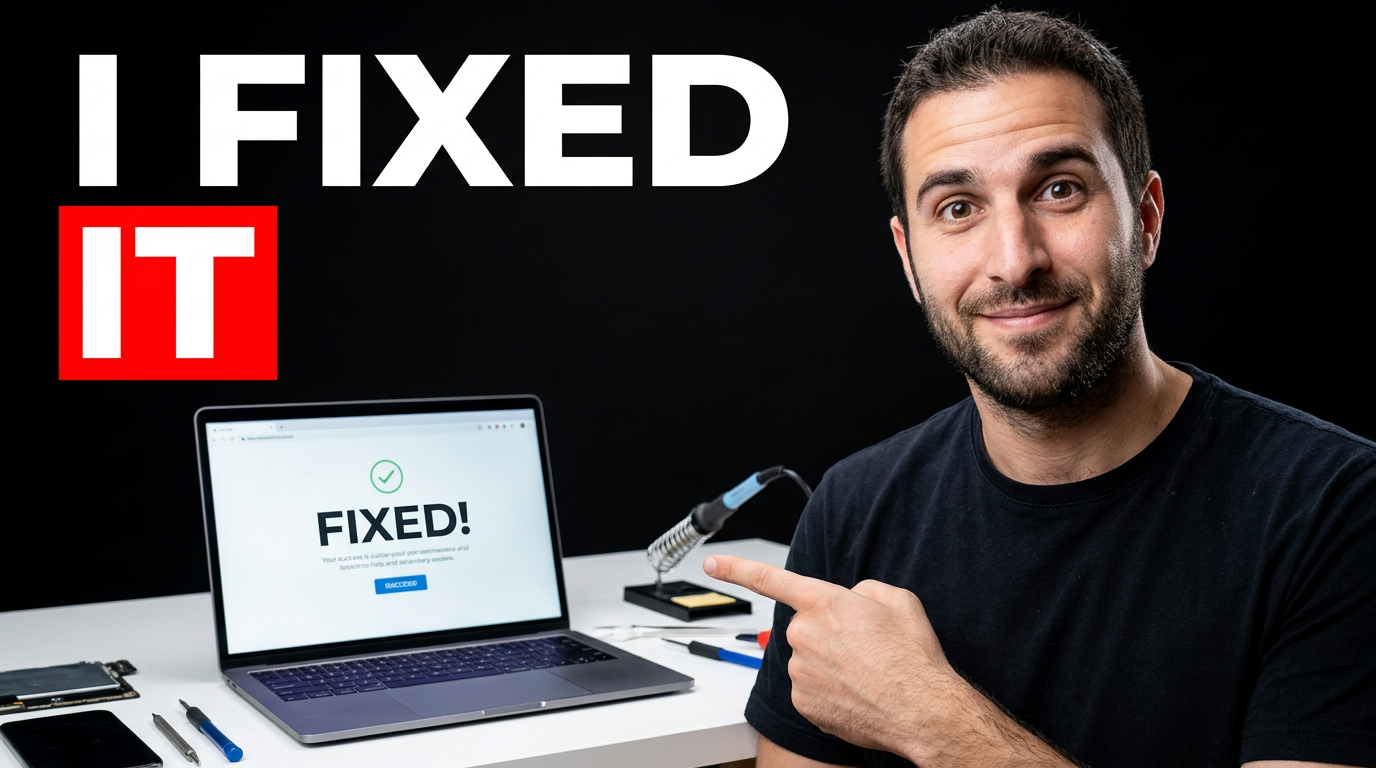
Creator reacting beside a repaired laptop screen for a technical tutorial thumbnail

Create thumbnails with a clear visual promise

A strong YouTube thumbnail gives viewers an immediate reason to click: a recognizable subject, one focused idea, and readable wording that supports the title without repeating it. Thumbnail.AI helps you build that visual around your actual video, whether you are publishing a tutorial, reaction, review, challenge, vlog, commentary video, or channel update. Upload your face or source material, specify the words you want shown, and describe the mood, setting, and emphasis you need.

Built for creators who want thumbnails that look intentional without settling for a generic template or spending hours assembling every variation by hand.

Three thumbnail ideas for make youtube thumbnail

Each example explores a different visual direction and can be adapted with your own face, images, wording, and brand.

Creator reacting beside a repaired laptop screen for a technical tutorial thumbnail

Tutorial result thumbnail

Make the finished result the immediate focal point for a repair, how-to, or troubleshooting video.

See the visual approach

A male creator with a relieved, surprised expression in the foreground, pointing toward an open laptop displaying a clean, successful result. Bright workshop desk with a few subtle repair tools, high contrast blue and warm lighting, simple uncluttered composition, creator and laptop large in frame, clear space reserved for short headline text on the upper left.

Make a thumbnail like this
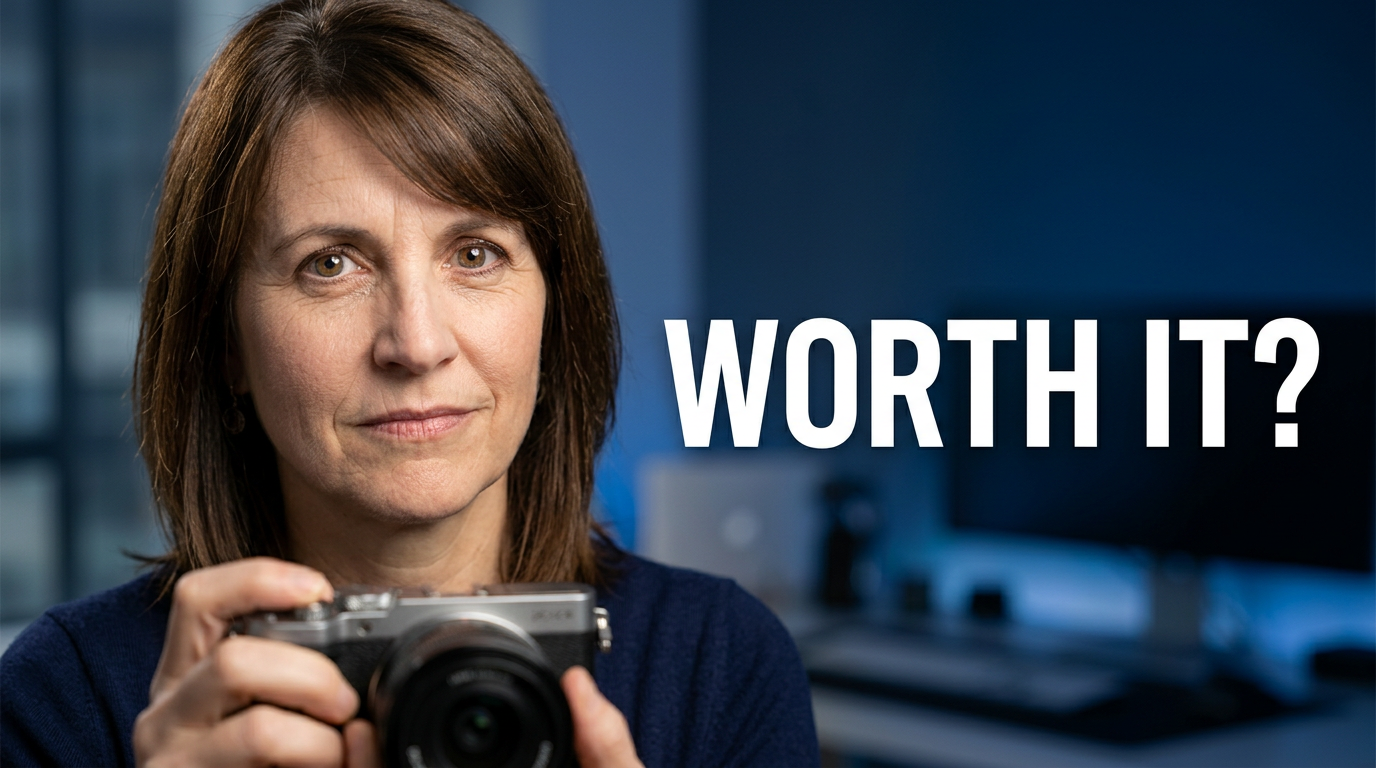
Female creator holding a compact camera with a skeptical expression for a product review thumbnail

Honest product review

Pair a real product with a decisive reaction for a review that feels personal and specific.

See the visual approach

A female creator holding a compact camera close to the lens, skeptical but curious expression, softly blurred home studio background, premium product lighting, warm neutral palette with a restrained accent color, close-up composition, product and face equally prominent, clear negative space for a short headline on one side.

Make a thumbnail like this
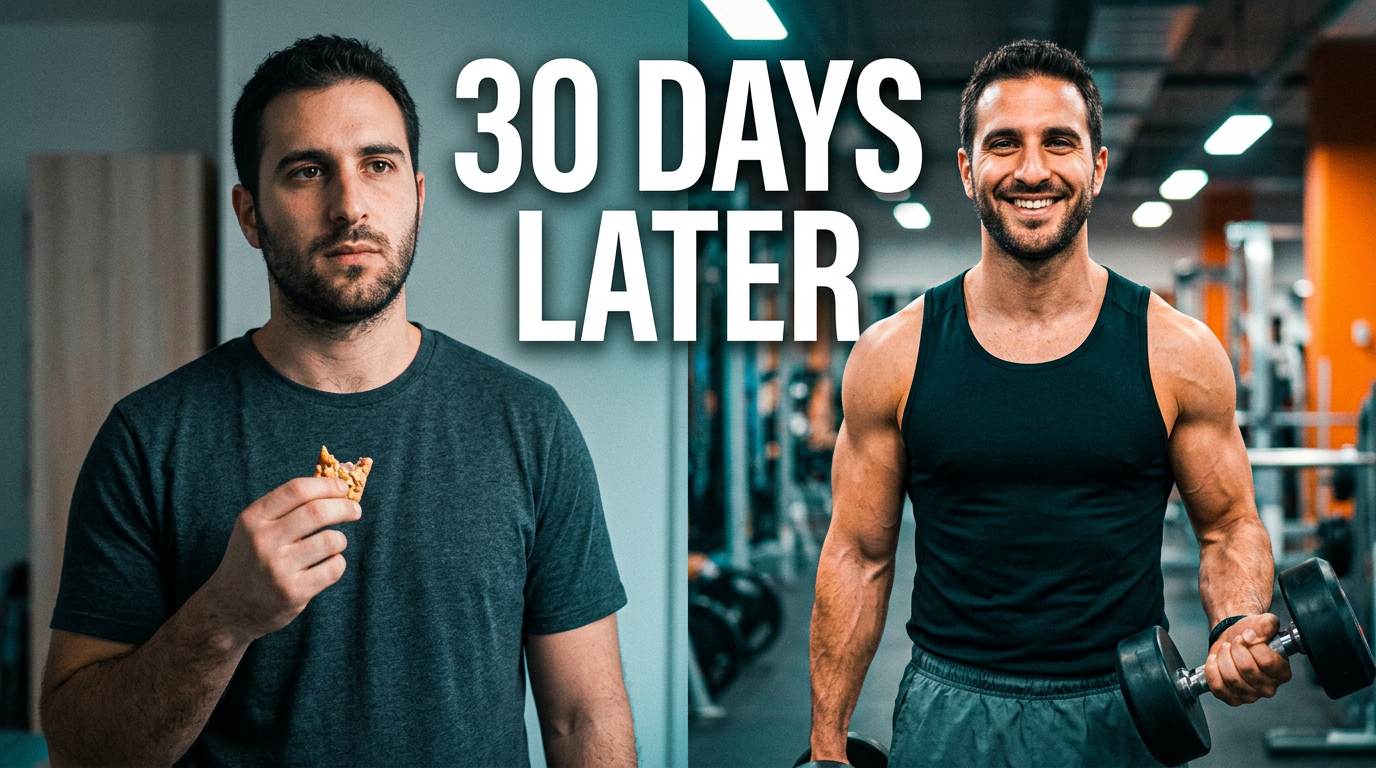
Creator showing a dramatic before-and-after fitness progress comparison for a challenge video thumbnail

Challenge video reveal

Show the transformation, time investment, and reaction in one clear before-and-after scene.

See the visual approach

A male creator centered between two contrasting visual states representing the start and finish of a personal fitness challenge, confident expression, one side subdued and one side energetic and polished, bold directional lighting, clean split composition, large creator presence, visual emphasis on transformation, room for a short headline across the top.

Make a thumbnail like this

These examples are starting points. Results vary based on your images, wording, and creative direction.

What to shape in your thumbnail

Use each element to make the video’s central question, result, or moment easy to understand at a glance.

  • A clear main subject, such as your face, product, screen, project, or before-and-after result
  • Short on-image wording that adds urgency, contrast, or a specific promise
  • A background that supports the topic without competing with the focal point
  • Expressions, gestures, props, and framing that match the video’s tone
  • A visual hierarchy that stays readable on desktop, mobile, and TV screens
  • Brand-consistent colors and recurring design cues for your channel library
  • Revision directions for changing emphasis, mood, composition, or source-image placement before publishing the video
  • A 16:9 composition that leaves important faces and text comfortably inside the frame

A simple workflow you can reuse

  1. 1

    Start with the video’s central hook

    Choose the strongest question, reveal, challenge, outcome, or opinion in the video. Keep the thumbnail focused on that single idea rather than trying to summarize every section.

  2. 2

    Add your source material

    Upload a face photo, product image, screenshot, logo, project photo, or other visual element you want reflected in the thumbnail. Use your own materials when recognition or accuracy matters.

  3. 3

    Set the exact visible wording

    Provide the short phrase you want on the image. Keep it punchy and legible; let the video title carry supporting detail.

Frequently asked questions

Answers for building a useful, repeatable thumbnail workflow—not just generating one image.

Browse all thumbnail makers
What makes a YouTube thumbnail easy to understand?

It usually has one dominant subject, a simple visual situation, and a small amount of readable text. If someone can identify the topic and emotional stakes in a quick glance, the thumbnail is doing its job.

Should my thumbnail text repeat my YouTube title?

Usually not word for word. Use the title for context and searchable detail, then use the thumbnail text to spotlight the tension, result, comparison, or reaction. The two should work together.

Can I use my own face and images?

Yes. Upload your face photo, screenshots, products, projects, or other source images and direct how they should appear. This is useful when the thumbnail needs to look like you and accurately represent the video.

How much text should go on a thumbnail?

Aim for a short phrase that can be read at small sizes. Two to six words is often enough. Avoid long sentences, thin type, and wording that competes with the main subject.

How do I make thumbnails consistent across my channel?

Reuse a recognizable color approach, framing style, typography feel, and subject treatment while changing the hook for each video. Consistency should make your uploads recognizable without making every thumbnail identical.

Can I revise the thumbnail after making a first version?

Yes. Give a direct revision request, such as making your face larger, simplifying the background, changing the mood, moving a product to one side, or putting more emphasis on the result.
Make your next YouTube thumbnail

Bring the video idea, your source images, and the exact message you want viewers to notice. Create and refine a custom thumbnail in Thumbnail.AI.

Create a thumbnail in Thumbnail.AI